
Blog
Battle of the Operating Systems: Google TV vs. Vidaa vs. WebOS vs. Tizen (2025 Edition)

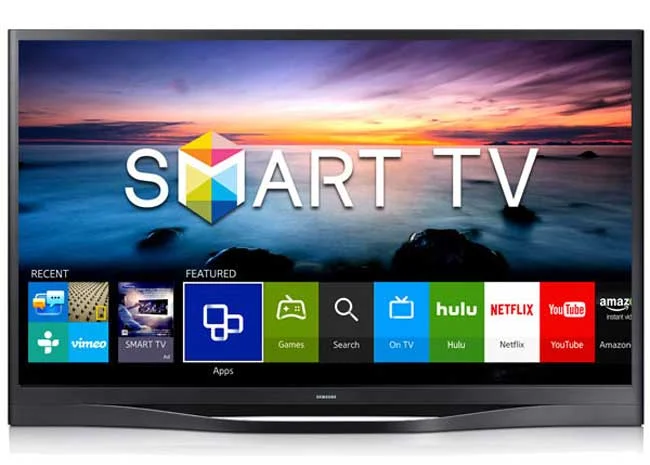
Battle of the Operating Systems: Google TV vs. Vidaa vs. WebOS vs. Tizen (2025 Edition)
When you walk into a shop in Nairobi CBD or browse tvguru.co.ke, you aren’t just buying a screen; you are buying the software that runs it. A beautiful 4K TV can feel like a “kitochi” phone if the operating system (OS) is slow or lacks the apps you need.
In Kenya, we have four main giants:
-
Google TV (TCL, Sony, Xiaomi, Skyworth)
-
Vidaa OS (Hisense)
-
Tizen OS (Samsung)
-
WebOS (LG)
Which one is right for your living room? Let’s break it down.
1. The “Apps” King: Google TV (TCL, Sony, Xiaomi)
If you are a “techie” or someone who loves free movies, this is your winner.
-
The Good: It is essentially Android for your TV. You have the Google Play Store, meaning you can install almost anything—Spotify, VLC, Kodi, and thousands of games.
-
The “Kenyan” Secret: This is the only OS that allows “Sideloading.” You can put apps on a flash drive (like unverified streaming apps) and install them. If you want to watch content from… unofficial sources, you need Google TV.
-
The Bad: It is heavy. On cheaper TVs (under 40k), it can sometimes feel a bit slow or “laggy” compared to the others.
2. The Speed Demon: Vidaa OS (Hisense)
Hisense is dominating the Kenyan market, and Vidaa is their secret weapon.
-
The Good: It is blazing fast. It boots up in seconds and switching between Netflix and YouTube is instant. It doesn’t crash or lag because it is very lightweight.
-
The Kenyan Check: Does it have Showmax and DSTV Stream? YES. As of 2024/2025, newer Hisense TVs (Vidaa U6/U7) come with these apps pre-installed.7
-
The Bad: It is a “Closed System.” You cannot install Android apps. If an app isn’t in their small store, you can’t get it. You cannot install VPNs or obscure media players easily.
3. The Balanced Choice: Tizen OS (Samsung)
Samsung’s Tizen is the “iPhone” of TV software—smooth, pretty, but strict.
-
The Good: It has the best “Gaming Hub.” If you have an Xbox or PlayStation, Tizen detects it automatically and optimizes the graphics. It also plays very nicely with Samsung phones.
-
The Bad: Like Vidaa, it is closed. No sideloading. Also, the voice assistant (Bixby) is not as smart as Google Assistant.
4. The User-Friendly King: WebOS (LG)
If you are buying a TV for your parents or someone who hates complicated tech, get LG.
-
The Good: The interface is unique—it uses a “Magic Remote” that acts like a mouse pointer on the screen. It makes typing passwords and clicking icons incredibly easy.
-
The Bad: The settings menus can be a bit confusing deep down.
Comparison Table
| Feature | Google TV (TCL/Sony) | Vidaa OS (Hisense) | Tizen (Samsung) | WebOS (LG) |
| Speed | ⚠️ Can be slow on budget TVs | 🚀 Fastest | ⚡ Very Fast | ⚡ Fast |
| Showmax/DSTV | ✅ Yes (Native App) | ✅ Yes (Pre-installed) | ✅ Yes | ✅ Yes |
| Sideloading | ✅ YES (Install APKs) | ❌ No | ❌ No | ❌ No |
| Casting | 🏆 Chromecast Built-in | ⚠️ Anyview (Can be glitchy) | 📱 SmartThings | 🍏 AirPlay / LG Cast |
| Interface | Content Heavy (Posters) | Simple Icons | Bottom Bar / Hub | Cards / “Mouse” Pointer |
The Verdict: Which One Should You Buy?
1. The “Techzone” Choice (Best for Geeks):
Google TV (TCL/Sony).
If you know what an “APK” is, or if you run a Plex server, or if you want to install VPNs to watch US content, you simply must buy a Google TV. The freedom is unmatched.
2. The “Budget” Choice (Best for Value):
Vidaa OS (Hisense).
If you just want to watch Netflix, YouTube, and local TV without spending a fortune, Hisense offers the best value. The OS is simple, it doesn’t annoy you, and it just works.
3. The “Family” Choice (Best for Ease of Use):
WebOS (LG).
The mouse pointer remote is a lifesaver for typing searches on YouTube. It is the most intuitive system for kids and older users.